macOS Native Professional AI Agent Management
Professional AI Agents
Without the Complexity
AgentDesk is a native macOS application that automates the installation and management of AI agents. Handle Docker environments, Python dependencies, and complex configurations through a professional interface. One-time purchase, lifetime access.
Agentic AI is the next generation of AI — instead of just answering questions, AI agents can reason, use tools, browse the web, write code, and complete complex tasks autonomously. But setting them up usually means wrestling with terminals, Python environments, and config files. AgentDesk removes all of that. Just install, pick your agent, and start chatting.
Supported AI Agents
Professional tools for different workflows and use cases
🐈
NanoBot
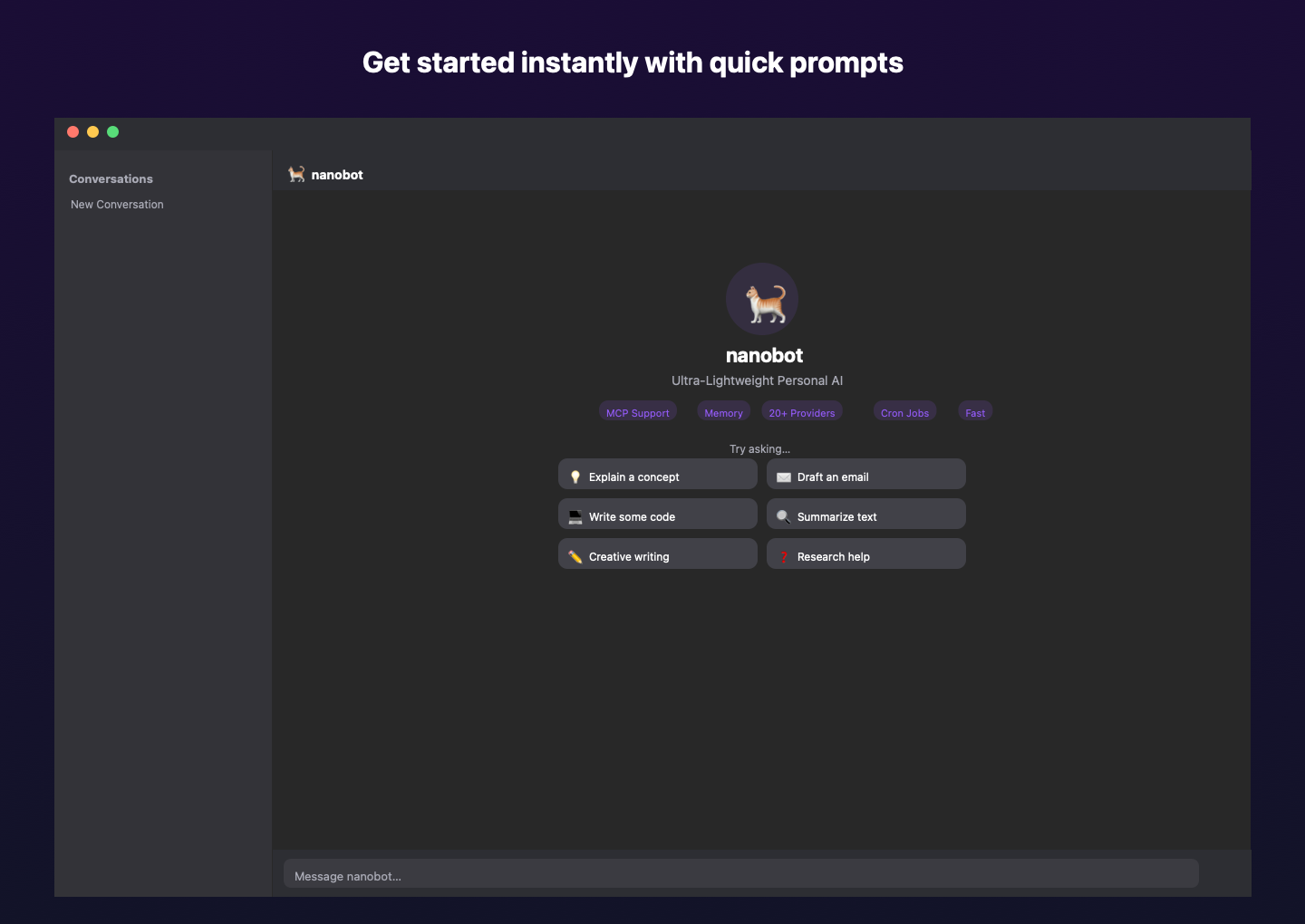
Lightweight personal AI assistant with memory, scheduling, and multi-provider support. Ideal for daily tasks and productivity.
Install:
30 seconds
Providers:
20+ supported
Use Case:
Personal Assistant
🤖
OpenHands
Autonomous AI software engineer for code generation, web browsing, and complex task automation. Docker-based environment.
Install:
15 minutes
Environment:
Docker containers
Use Case:
Software Development
💎
Gemini CLI
Official Google Gemini command-line interface with direct model access and file handling capabilities.
Install:
1 minute
Provider:
Google Gemini
Use Case:
Google Models
🪿
Goose
Block's open-source AI agent designed for code review, analysis, and development workflows.
Install:
2 minutes
Type:
Open Source
Use Case:
Code Review
🏠
Ollama
Local AI model execution with complete privacy. No API keys required, runs entirely on your hardware.
Install:
2 minutes
Privacy:
100% Offline
Use Case:
Private AI
🔧
Custom Agents
Extensible architecture supports any CLI-based AI agent. Easy integration for custom or specialized tools.
Support:
CLI-based
Integration:
Developer API
Use Case:
Custom Tools
Automated Setup Process
Professional-grade dependency management and installation
�
System Analysis
Scans for existing dependencies, detects architecture (Intel/Apple Silicon), and creates installation plan.
Duration:
10 seconds
�
Dependency Installation
Installs Python, Node.js, Docker Desktop, and package managers through native macOS interfaces.
Duration:
2-10 minutes
🚀
Agent Deployment
Configures environments, pulls containers, installs packages, and validates agent functionality.
Duration:
30 seconds-15 minutes
✅
Validation
Tests installations, verifies connectivity, and ensures agents are ready for immediate use.
Duration:
30 seconds
Getting Started
Professional AI agent management in four simple steps
1
Install AgentDesk
Download the macOS application and launch. The Setup Assistant analyzes your system requirements.
2
Configure Environment
AgentDesk automatically installs required dependencies like Docker Desktop, Python, or Node.js as needed.
3
Select Agent
Choose from supported agents or add custom tools. Each agent is configured for optimal performance.
4
Start Working
Add your API keys or configure local models. Your AI agents are ready for professional use.
Professional Features
Built-in tools for AI agent management and automation
📦
Automated Environment Setup
Handles Docker Desktop installation, Python environments, Node.js, and package managers through native macOS interfaces.
🚢
Container Management
Manages Docker Compose configurations, pulls images, and orchestrates multi-container environments for complex agents.
🔧
Package Management
Supports pip, npm, Homebrew, and custom installation methods with automatic dependency resolution.
⏱️
Progress Monitoring
Real-time installation progress with status updates, error handling, and process management.
🏗️
Extensible Framework
Modular architecture supports any CLI-based AI agent with simple integration for custom tools.
🌐
Multiple AI Providers
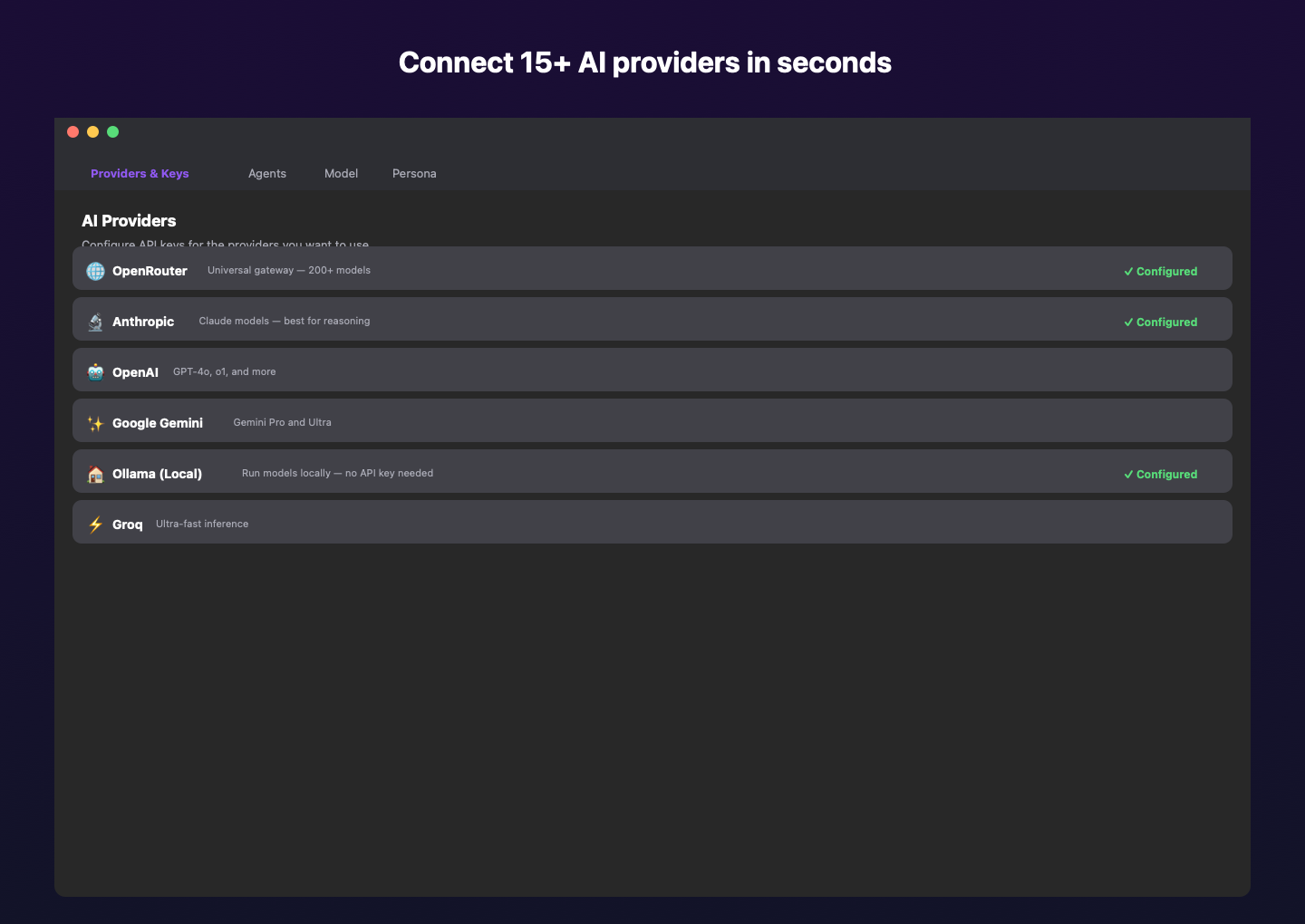
Connect to OpenAI, Anthropic, Google Gemini, Mistral, Groq, and 15+ other providers through unified interface.
🏠
Local Model Support
Integrates with Ollama for private, offline AI model execution without API keys or cloud dependencies.
💬
Professional Interface
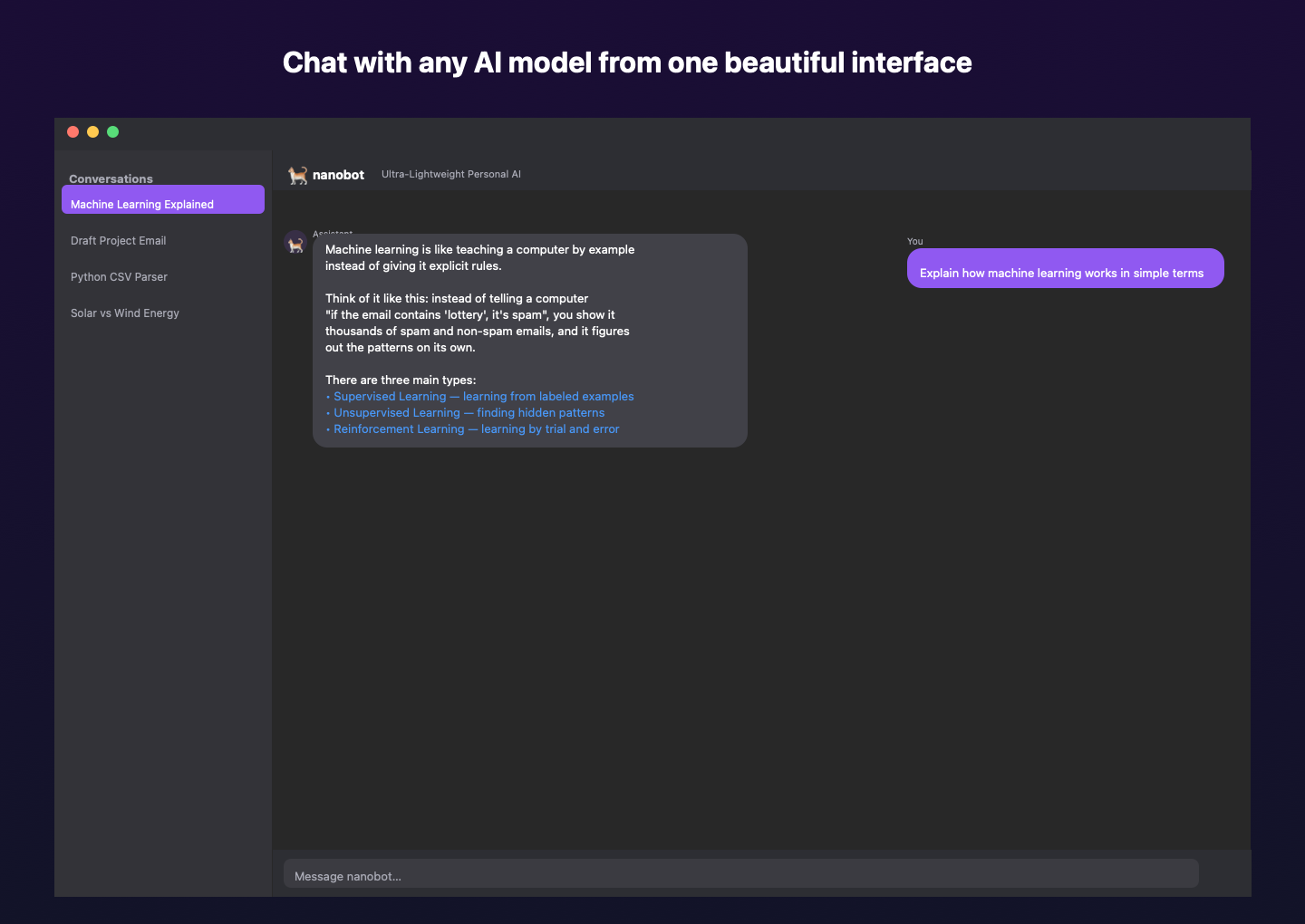
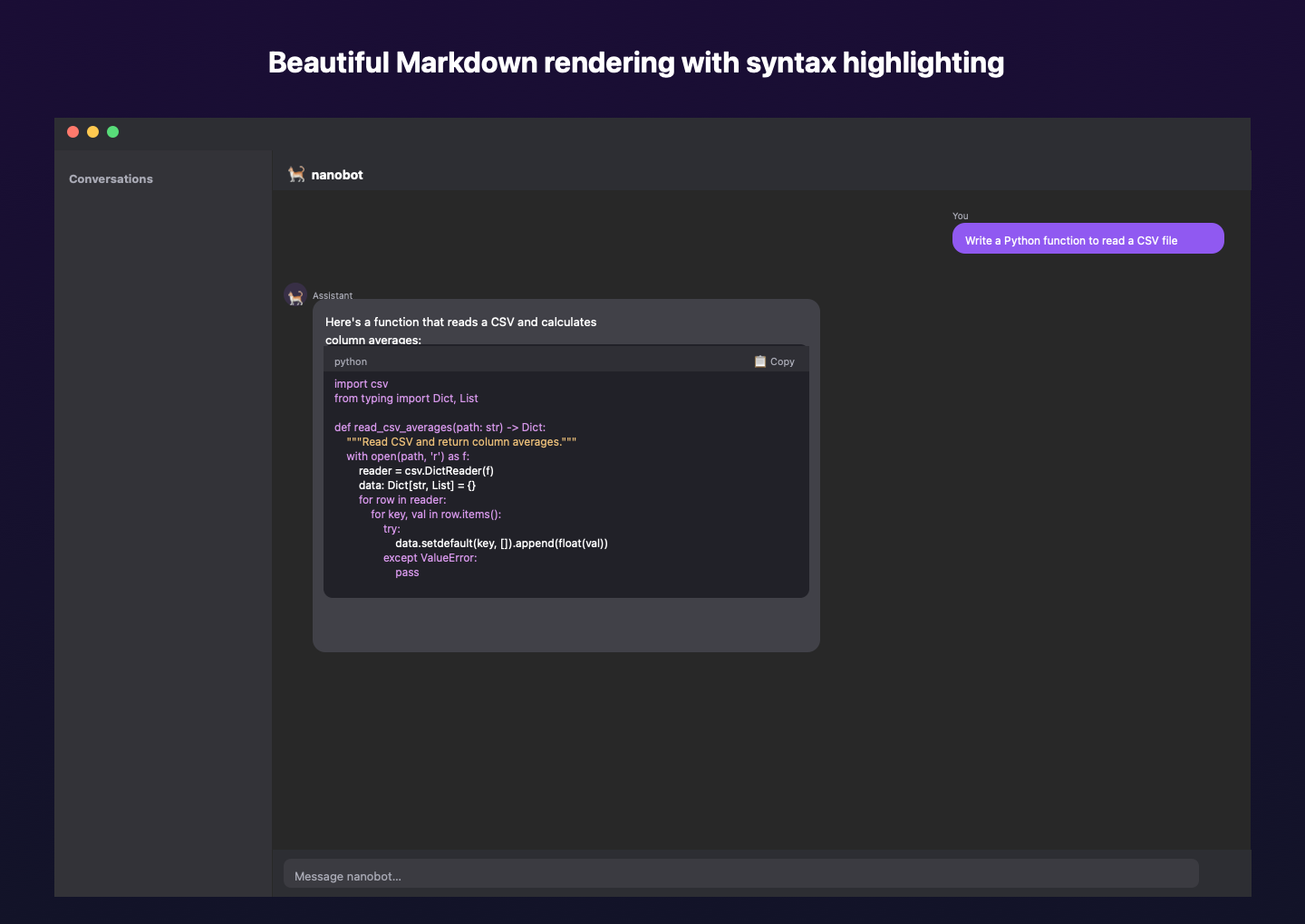
Native SwiftUI chat interface with conversation history, search, export, and syntax-highlighted code rendering.
🔒
Security & Privacy
API keys stored in macOS Keychain, zero telemetry, no analytics. Complete data privacy and local processing.
⚡
Native Performance
Built with SwiftUI for optimal macOS performance. Fast startup, efficient resource usage, and responsive interface.
Simple Pricing
One-time purchase, lifetime access
✓
Lifetime license
✓
All AI agents supported
✓
Automated setup & updates
✓
Priority support
✓
No subscription required
Supported AI Providers
Connect to any of these AI providers — or use all of them
OpenRouter
Anthropic
OpenAI
Google Gemini
Mistral
Groq
Ollama (Local)
Cohere
DeepSeek
Together AI
Perplexity
xAI (Grok)
Cerebras
SambaNova
Fireworks AI
Privacy Policy
Last Updated: March 28, 2025
Overview
AgentDesk ("the App") is a macOS desktop application that provides a graphical interface for interacting with AI agents. Your privacy is important to us. This Privacy Policy explains what data the App collects, how it is used, and your rights regarding that data.
Data Collection
What We Do NOT Collect
- No telemetry or analytics: The App does not send any usage data, crash reports, or analytics to us or any third party.
- No personal information: The App does not collect your name, email address, or any personally identifiable information.
- No tracking: The App does not use cookies, advertising identifiers, or any tracking mechanisms.
- No server communication: The App does not communicate with any servers operated by AgentDesk.
Data Stored Locally on Your Device
The App stores the following data locally on your Mac only:
- API Keys: Stored in macOS Keychain (encrypted, system-managed) and in the agent configuration file (
~/.nanobot/config.json) so the CLI agent can access them.
- Conversation History: Saved as JSON files in
~/Library/Application Support/AgentDesk/conversations/
- App Preferences: Basic settings stored via macOS UserDefaults.
Third-Party AI Services
When you send a message through AgentDesk, your message is processed by the AI provider you have configured. Your messages are sent directly from your Mac to the AI provider's API — AgentDesk does not act as an intermediary.
Each AI provider has its own privacy policy:
If you use Ollama, all processing happens locally on your Mac and no data is sent to external servers.
Data Sharing
AgentDesk does not share, sell, or transfer any of your data to third parties. All data remains on your device.
Data Retention and Deletion
- Conversations: Delete individual conversations from the sidebar, or remove all files from
~/Library/Application Support/AgentDesk/conversations/.
- API Keys: Remove via the Settings panel, or delete from macOS Keychain Access.
- Complete Removal: Uninstalling the App and removing the above directories will delete all data associated with AgentDesk.
Children's Privacy
AgentDesk is not directed at children under the age of 13. We do not knowingly collect any data from children.
Security
- API keys are stored in the macOS Keychain, which provides hardware-backed encryption.
- The App runs with Hardened Runtime enabled.
- No data is transmitted to AgentDesk servers.
Changes to This Policy
We may update this Privacy Policy from time to time. Any changes will be reflected in the "Last Updated" date above.
Contact
If you have questions about this Privacy Policy, please contact us.
Support
Get help with AgentDesk
Getting Started
AgentDesk requires Python 3 to be installed on your Mac. The app will guide you through installation if it's not detected.
- Download and install AgentDesk
- Follow the onboarding wizard to select your AI agent and configure an API key
- Start chatting!
Frequently Asked Questions
Which AI providers are supported?
AgentDesk supports 15+ providers including OpenRouter, Anthropic, OpenAI, Google Gemini, Mistral, Groq, Ollama (local), Cohere, DeepSeek, Together AI, Perplexity, xAI, Cerebras, SambaNova, and Fireworks AI.
Do I need an API key?
Yes, for cloud-based providers you need an API key from that provider. If you use Ollama, no API key is needed — everything runs locally on your Mac.
Where are my conversations stored?
All conversations are stored locally at ~/Library/Application Support/AgentDesk/conversations/. They never leave your device.
Are my API keys secure?
Yes. API keys are stored in the macOS Keychain, which provides hardware-backed encryption. They are never sent to AgentDesk servers (we don't have any).
Can I use AgentDesk offline?
Yes, if you use Ollama with locally downloaded models. Cloud-based providers require an internet connection.
What macOS version is required?
AgentDesk requires macOS 15 (Sequoia) or later.
Report an Issue
Found a bug or have a feature request? Email us at the address below.
Contact
For any inquiries, email us at support@agentdesk.app